Wireless CarPlay adapter won't connect: six checks in order
Most "won't connect" cases are the car side or the wrong port, not the adapter. Work down the list and stop at the first check that fails.
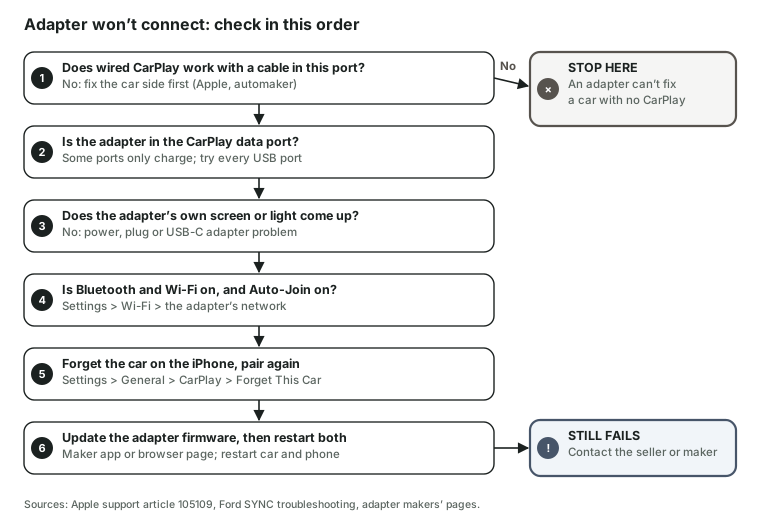
The six checks
- Wired CarPlay works with a cable in this port. If it doesn't, no adapter will help. Apple's first step is another cable in another port; Ford adds that SYNC owners should use the port nearest the SYNC screen and, if USB music won't play either, to stop and see a dealer (Apple, Ford).
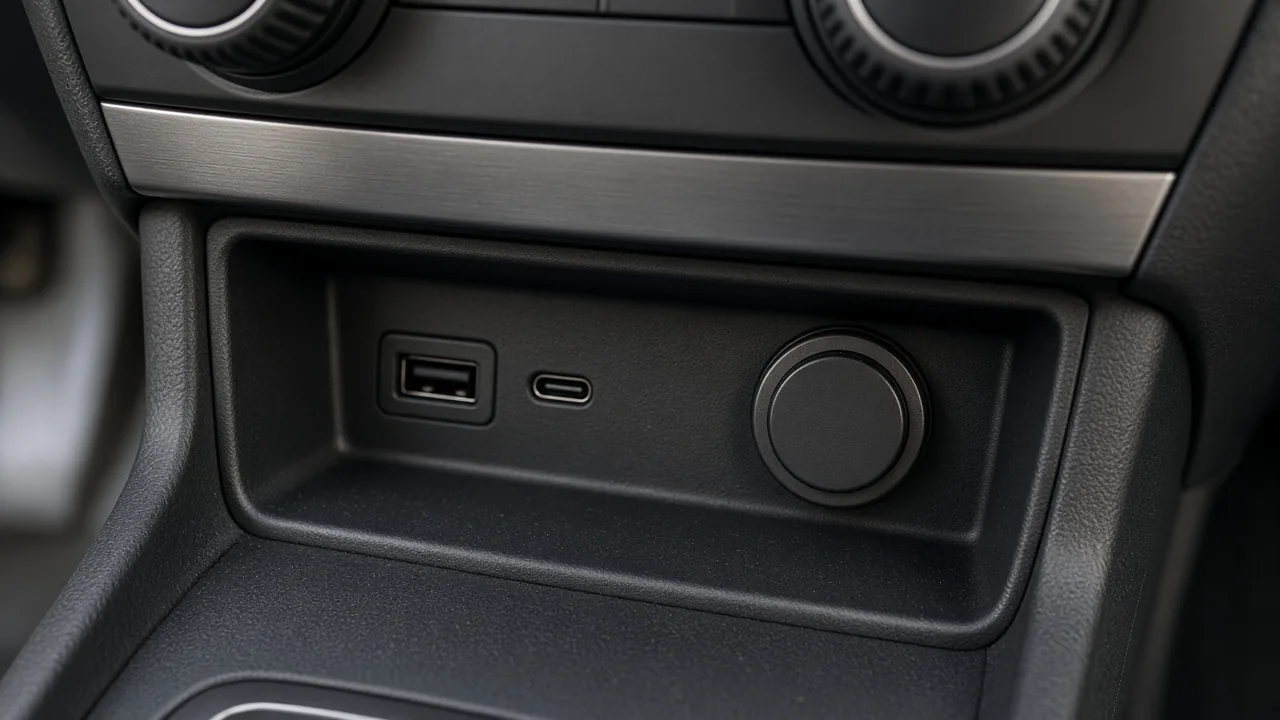
- The adapter is in the CarPlay data port. Ottocast's product page says the adapter needs a USB data port, not a charge-only one. Many cars have both; try each. For whether your model has wired CarPlay at all, see Toyota or Ford.
- The adapter's own screen or light comes up. If not, it isn't getting power or data: reseat it, try the USB-A to USB-C adapter the other way round, or another port.
- Bluetooth and Wi-Fi are on, and Auto-Join is on. Apple: turn both on, then in Wi-Fi settings tap the CarPlay network and check Auto-Join. In a SYNC 4 Ford, CarPlay can't run while the phone is on the car's Wi-Fi hotspot.
- Forget the car and pair again. Apple: Settings › General › CarPlay › your car › Forget This Car. With two phones in the car, the adapter may have grabbed the other one (switching).
- Update the firmware, restart both. Each maker has its own route — app, or a browser page on the adapter (see each model). Apple's list ends with restarting the iPhone and the car and keeping the car's own CarPlay firmware current.
Still failing: contact the seller or the maker. Other symptoms are under problems and fixes. If it connects but drops, read how the Wi-Fi link works.
What owners report on X
58 owner reports and 23 questions on X, Nov 18, 2023 to Nov 18, 2026. Connection-related reports: 5 needed a replug or restart, 2 no picture or no response, 3 drops or freezes, 2 after an iOS update; 27 said it works well. Small sample: these are counts, not failure rates.
What owners ask on X
From 23 questions in 81 public posts we read (Nov 18, 2023 to Nov 18, 2026). A small sample — shown for the questions, not as statistics.
Will it work in my car?
Only if your car already runs CarPlay with a cable and doesn't run it without one. The checker walks through the two tests; the Toyota and Ford pages show it by model year and SYNC version.
Asked on X: post from Jul 30, 2025 post from Apr 4, 2025 post from Feb 21, 2026
Which one should I buy?
It comes down to the port (USB-A or USB-C), whether anyone uses Android, and whether several drivers share the car. The comparison table shows those side by side, with sources.
Asked on X: post from Jun 15, 2025 post from Oct 13, 2025 post from Jan 25, 2024
Can two phones share one adapter?
Some adapters switch with a button, others make you disconnect the current phone first. Published switching times run from 9 to 42 seconds — see adapters for two drivers.
Asked on X: post from May 2, 2025 post from Feb 11, 2026
Is there a delay?
The adapter adds a Wi-Fi hop and a buffer. The only published delay figures are a 0.14 s call return delay and a 0.11 s audio delay, from one tester; how the signal flows.
Asked on X: post from Aug 18, 2026 post from Aug 21, 2024
Sources checked: Checked Nov 18, 2026 · Updated 2026-11-18 · How this site works